

Blog
Best Productivity Apps Every CA and CMA Student Should Use in 2026

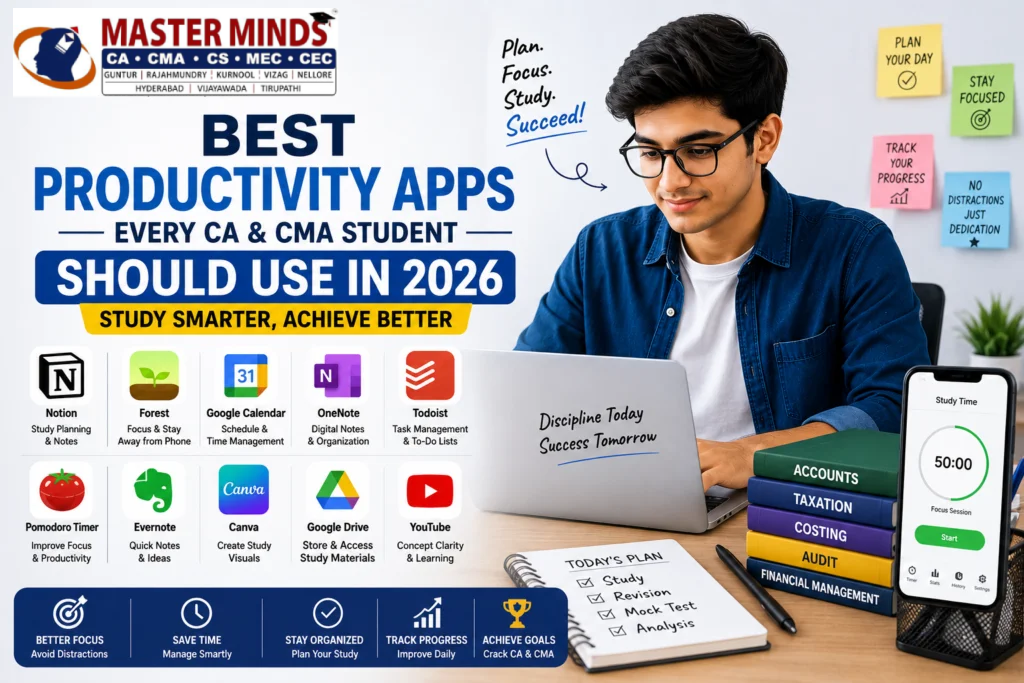
Preparing for CA and CMA exams requires discipline, consistency, and proper time management. Many students struggle with distractions, incomplete revision, poor planning, and stress during preparation.
This is where productivity apps for CA students can make a huge difference.
Today, students can use smart apps to:
- manage study schedules,
- improve concentration,
- organize notes,
- track revision,
- and stay productive throughout preparation.
The right productivity apps help students study smarter instead of studying longer.
Let us look at some of the best productivity apps for CA students and CMA students in 2026.
1. Notion
Best for Study Planning and Notes
Notion has become one of the most popular productivity apps for CA students because it helps organize everything in one place.
Students can use Notion for:
- study schedules,
- subject planning,
- revision tracking,
- daily targets,
- and digital notes.
Why Students Like Notion
- Easy to organize
- Clean interface
- Works on mobile and laptop
- Custom study dashboards
It is especially useful for long-term CA preparation planning.
2. Forest
Best App for Focus and Avoiding Mobile Distractions
Mobile distractions are one of the biggest problems during exam preparation.
Forest helps students stay focused by encouraging them not to use their phones while studying.
How It Works
When students start a study session:
- a virtual tree starts growing,
- if they leave the app and use social media, the tree dies.
This simple idea helps improve concentration.
Forest is one of the most effective productivity apps for CA students who struggle with phone addiction.
3. Google Calendar
Best for Time Management
CA and CMA students often have multiple subjects, revision schedules, mock tests, and classes.
Google Calendar helps students:
- plan daily schedules,
- set reminders,
- organize study timings,
- and manage revision plans.
Benefits
- Easy scheduling
- Reminder notifications
- Works across devices
- Helps maintain discipline
Proper planning improves consistency during preparation.
4. Microsoft OneNote
Best for Digital Notes
Many students prefer digital note-taking instead of carrying multiple notebooks.
OneNote helps students:
- organize chapter-wise notes,
- add handwritten notes,
- insert PDFs,
- and revise quickly.
It is highly useful during revision periods.
5. Todoist
Best for Daily Task Management
Todoist is excellent for tracking daily study goals.
Students can create:
- daily targets,
- revision checklists,
- mock test reminders,
- and weekly goals.
Completing small tasks daily creates better productivity and motivation.
6. Pomodoro Timer Apps
Best for Long Study Sessions
Many students lose focus during long study hours.
Pomodoro apps improve concentration using simple study cycles.
Popular Study Method
- Study for 50 minutes
- Take a 10-minute break
This method improves productivity and reduces mental fatigue.
Pomodoro timers are simple but powerful productivity apps for CA students.
7. Evernote
Best for Quick Notes and Ideas
Evernote helps students quickly save:
- important concepts,
- formulas,
- revision points,
- and quick reminders.
It is useful for students who prefer short and organized revision notes.
8. Canva
Best for Visual Learning
Many CA and CMA students remember concepts better through visuals.
Canva helps students create:
- mind maps,
- flowcharts,
- summary notes,
- and visual study materials.
Visual learning improves memory retention for theory subjects.
9. Google Drive
Best for Storing Study Materials
CA preparation involves many PDFs, notes, mock papers, and recorded classes.
Google Drive helps students:
- store files safely,
- access materials anywhere,
- and organize documents easily.
Cloud storage prevents loss of important study materials.
10. YouTube
Best for Concept Clarity
Many students use YouTube for:
- concept revision,
- quick explanations,
- and motivation.
However, students should use YouTube carefully and avoid unnecessary distractions.
Using educational channels smartly can improve understanding significantly.
How Productivity Apps Help CA Students
Using the right productivity apps for CA students can improve:
- time management,
- revision consistency,
- focus,
- planning,
- and study discipline.
These apps cannot replace hard work, but they can make preparation more organized and efficient.
Tips for Using Productivity Apps Effectively
Best Practices
- Do not install too many apps
- Use only apps that truly help
- Avoid spending more time organizing than studying
- Keep schedules realistic
- Use apps consistently
Simple systems work better than complicated systems.
Common Mistakes Students Should Avoid
Many students make mistakes while using productivity tools.
Avoid These Mistakes
- Constantly changing apps
- Overplanning without studying
- Using productivity apps as distractions
- Creating unrealistic schedules
Apps should support preparation, not waste time.
Technology has become an important part of modern education. The right productivity apps for CA students can help improve focus, planning, consistency, and revision during preparation.
Every student has different study habits, so students should choose apps that match their learning style and daily routine.
Success in CA and CMA exams still depends on discipline and consistency. But using the right tools can make the preparation journey smoother and more productive.
FAQs
Which is the best productivity app for CA students?
Notion, Forest, Google Calendar, and Todoist are among the best productivity apps for CA students.
Are productivity apps useful for CMA students?
Yes, productivity apps help CMA students improve planning, focus, revision, and time management.
Which app is best for avoiding mobile distractions?Forest is one of the best apps for reducing mobile distractions during study sessions.
Can productivity apps improve exam preparation?
Yes, productivity apps help students stay organized, maintain consistency, and manage study schedules effectively.
Is Notion useful for CA preparation?
Yes, Notion is highly useful for study planning, revision tracking, and organizing preparation schedules.
