

Blog
AI Skills for Finance Professionals: What Should You Learn in 2026?

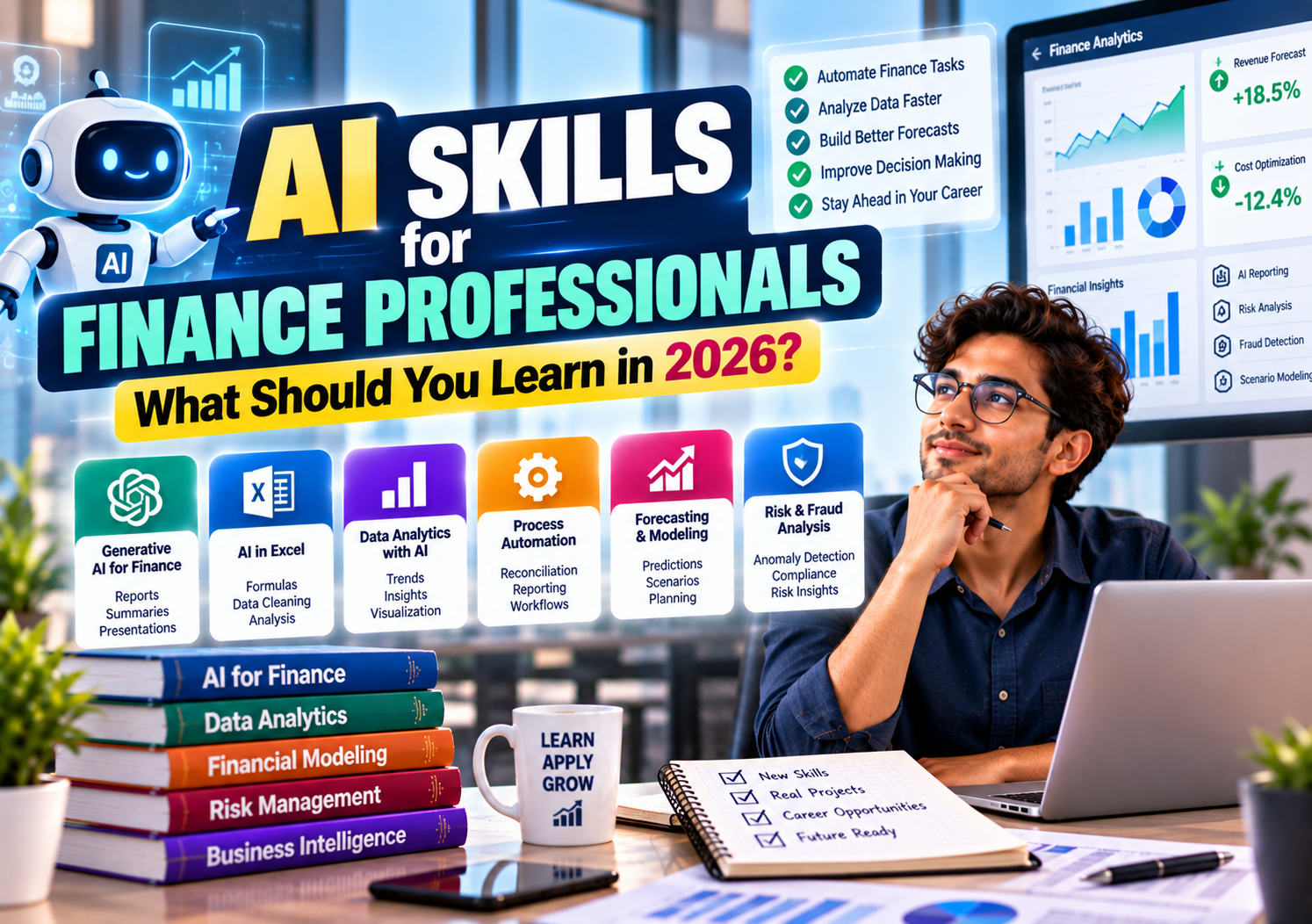
Artificial intelligence is changing how finance teams handle reports, analyse data, review transactions, and prepare forecasts. Tasks that once required hours of spreadsheet work can sometimes be completed much faster with AI-assisted tools. But using AI effectively requires more than knowing how to write prompts.
For finance professionals, the most useful AI skills for finance combine financial knowledge with practical abilities in AI tools, data analysis, automation, forecasting, and risk management. The goal is not to replace your understanding of accounting or finance. It is to use technology to work more efficiently, investigate financial information, and make better-informed decisions.
Whether you are a CA, CMA or CS student, an accountant, an auditor, an FP&A analyst, or a finance professional looking to upgrade your skills, the best approach is to start with everyday tasks and gradually move towards more advanced applications.
Which AI Skills Should Finance Professionals Learn First?
You do not need to learn every AI technology available. Begin with skills that solve common finance problems, then specialise according to your role.
| Skill | What you should learn | Practical finance application |
|---|---|---|
| Generative AI | Prompt writing, document analysis and output verification | Draft reports and summarise financial documents |
| AI-assisted Excel | Formula assistance, data cleaning and analysis | Speed up spreadsheet-based work |
| Data analytics | SQL, Power BI and AI-assisted analysis | Investigate financial trends and variances |
| Workflow automation | AI-enabled workflows and process design | Reduce repetitive reporting tasks |
| Forecasting and modeling | Forecast assumptions, scenarios and model validation | Support planning and financial decisions |
| Risk and fraud analysis | Anomaly detection, exception review and model limitations | Identify transactions requiring investigation |
| AI governance | Privacy, confidentiality, bias and human oversight | Use AI responsibly in finance |
These skills do not all require programming. You can begin using generative AI and spreadsheet assistance before learning Python or more advanced analytics techniques.
The right starting point depends on your current role and the work you want to improve.
1. Learn Generative AI for Everyday Finance Tasks
Generative AI tools can produce text, explain concepts, summarise documents, assist with formulas, and help organise information. For finance professionals, these capabilities are most useful when the task is clearly defined and the output can be checked.
Learn how to write effective prompts
A useful prompt gives the AI enough context to understand the task, the expected output, and any constraints.
For example, instead of asking:
“Analyse these expenses.”
You could ask:
“Review this anonymised monthly expense table. Group expenses by department, identify the five largest variances against budget, calculate the percentage variance where the budget is non-zero, and present the results in a table. Do not assume the reasons for the variances. List the questions a finance manager should investigate.”
The second prompt defines the task more clearly and reduces the chance of receiving a generic answer.
Learn to specify:
- The business question you want to answer
- The relevant reporting period and financial definitions
- The format you need, such as a table or summary
- The assumptions the analysis should use
- The checks required before accepting the result
Prompt writing is useful, but it is not enough by itself. You also need to recognise when an answer is incomplete, unsupported, or financially incorrect.
Use AI to understand financial documents
AI tools can help summarise long reports, explain accounting concepts, compare document sections, and prepare preliminary notes.
For example, an analyst could use an approved AI tool to summarise an annual report and identify changes in revenue, operating costs, debt, and cash flow that deserve closer review.
The summary should be checked against the original document. AI may overlook qualifications, confuse figures from different periods, or present an interpretation as though it were a reported fact.
Start here: Use AI to assist with low-risk drafting and analysis tasks where you can verify the output easily.
2. Learn AI-Assisted Excel and Spreadsheet Analysis
Excel remains central to many finance workflows. AI can help users understand formulas, write or troubleshoot spreadsheet logic, and explore unfamiliar datasets.
You should still learn Excel fundamentals. AI assistance is more useful when you understand what the formula should do and can check whether the result makes sense.
What to learn
Focus on using AI to help with:
- Writing and explaining Excel formulas
- Building conditional calculations
- Cleaning inconsistent data
- Creating PivotTable-based summaries
- Identifying possible formula errors
- Preparing budget-versus-actual reports
- Documenting spreadsheet logic
- Exploring repetitive tasks that could be automated
Imagine you receive a workbook with thousands of expense transactions. You need to group expenses by department and compare actual spending against the budget.
An AI assistant may help you develop the required formulas, suggest a suitable PivotTable layout, or explain why a calculation is returning an unexpected result.
However, the AI should not be treated as an independent reviewer of its own work. Reconcile important totals, inspect formulas, and test the workbook with known examples.
Learn the difference between assistance and automation
AI suggesting a formula is not the same as a complete automated workflow.
A reliable workflow may also need standardised source data, validation rules, error handling, access controls, and a clear process for updating reports. Finance teams should understand these requirements before relying on AI-assisted spreadsheets for important decisions.
3. Combine AI With Financial Data Analytics
AI becomes more useful when you can work confidently with structured financial data.
If you already use Excel, consider adding SQL and Power BI to your skill set. These tools help you retrieve, prepare, and analyse data, while AI can assist with selected parts of the process.
Learn SQL for data retrieval
SQL allows you to query information stored in databases. Finance professionals may use it to retrieve transactions, summarise expenses, combine customer records, or investigate outstanding invoices.
AI can help draft a SQL query or explain unfamiliar syntax. You still need to check that the query uses the correct tables, joins, date filters, and business definitions.
A join that duplicates records can inflate financial totals even when the query runs without errors.
Learn Power BI for financial reporting
Power BI helps turn data into interactive dashboards and reports.
AI-assisted features may help with report development or analysis, depending on the product, licence, and configuration. But a good report still depends on a sound data model, correctly defined measures, and reliable source data.
Finance professionals should learn how to:
- Prepare data using Power Query
- Connect related tables correctly
- Create measures using DAX
- Build budget-versus-actual dashboards
- Analyse trends across reporting periods
- Validate KPI calculations
- Apply appropriate access controls
For example, a finance team might use Power BI to track revenue, expenses, margins, and working capital. AI can assist with selected analytical tasks, but the finance professional must decide which indicators matter and investigate the reasons behind significant changes.
4. Learn AI and Workflow Automation
Many finance tasks follow a repeated pattern. Monthly reporting, invoice processing, document classification, data preparation, and reconciliation can involve the same steps every reporting period.
Workflow automation aims to reduce repetitive manual work while keeping the process controlled.
Identify suitable tasks for automation
Good starting points often include:
- Combining standardised monthly files
- Classifying documents for review
- Extracting information from approved document sources
- Preparing draft summaries from validated reports
- Sending notifications when defined conditions are met
- Checking data for missing fields or unusual values
Consider a business that receives expense files from multiple departments. A workflow could collect the files, validate their structure, combine the records, calculate totals, and prepare a report for review.
The automation should flag missing or inconsistent data rather than silently treating it as correct.
Learn tools and process design
Depending on the systems your organisation uses, explore workflow automation tools such as Microsoft Power Automate or other approved business automation platforms.
Learn to map a process before automating it:
- Identify the task and its expected result.
- Document the existing steps and business rules.
- Decide which steps are suitable for automation.
- Add validation and exception handling.
- Test the workflow with normal and unusual cases.
- Keep an audit trail and a process for human review.
Automating a poorly designed process can simply make errors happen faster. Improve the process before adding AI.
5. Learn AI-Assisted Financial Forecasting and Modeling
Forecasting is another area where AI can support finance teams. It can help explore data, generate preliminary analyses, and assist with selected statistical or modeling tasks.
But forecasting requires financial judgment. Historical patterns do not always continue, and an AI-generated forecast should never be accepted simply because it looks precise.
Learn the fundamentals first
Before using AI for financial forecasting, understand:
- Historical revenue and expense analysis
- Working capital and cash flow
- Financial statement relationships
- Forecast drivers and assumptions
- Scenario and sensitivity analysis
- Basic statistics and forecasting methods
- Model validation and performance measurement
Imagine a company wants to forecast revenue for the next financial year. Historical data may show seasonal sales patterns, but the company may also be planning a price increase or entering a new market.
A useful forecast must consider both the historical pattern and the planned business changes. An automated model may not know about those plans unless the relevant information is provided and incorporated appropriately.
Learn scenario analysis
Scenario analysis compares possible outcomes under different assumptions.
For example, a finance team could compare a base case, a lower-growth case, and a higher-growth case. Each scenario might use different assumptions for sales volume, operating costs, collection periods, and capital expenditure.
AI can assist with preparing or explaining scenarios, but the assumptions must be reasonable, transparent, and consistent with the business context.
The aim is not to predict one certain future. It is to understand the financial consequences of different possibilities.
6. Understand AI for Risk Management and Fraud Detection
AI can support risk analysis by helping identify unusual patterns, classify records, or prioritise items for investigation.
This can be useful in auditing, internal controls, credit analysis, compliance, and financial operations.
Learn anomaly detection
An anomaly is an observation that differs from an expected pattern. Examples might include an unusually large payment, repeated transactions with similar details, or expenses that differ from a department’s normal activity.
AI and analytical methods can help flag such records for review.
However, an unusual transaction is not automatically fraudulent. It may reflect a legitimate one-off purchase, a timing difference, a data issue, or a valid business event.
Understand the limitations of AI-based risk tools
Learn how to evaluate:
- False positives and false negatives
- Missing or inaccurate data
- Changes in normal transaction patterns
- Bias in historical records
- Explainability of model outputs
- Human review and escalation procedures
A fraud detection system that flags too many legitimate transactions can overwhelm the team responsible for investigating them. A system that misses important cases can create a different kind of risk.
Finance professionals should understand how alerts are generated, how they are reviewed, and what evidence is needed before reaching a conclusion.
7. Learn AI Governance, Privacy, and Confidentiality
This is one of the most important AI skills for finance professionals because financial information can be sensitive.
AI tools may process information in ways that depend on the provider, account settings, deployment model, and organisational agreements. You should understand your organisation’s rules before entering financial data into any AI system.
Learn what information should not be shared
Avoid uploading confidential information to unapproved tools. Depending on your role and company policies, sensitive information may include:
- Customer and supplier records
- Bank account details
- Employee salary information
- Tax records
- Unpublished financial results
- Merger and acquisition documents
- Internal forecasts and business plans
Use approved systems, appropriate permissions, and anonymised or synthetic data when possible.
Learn how to verify AI outputs
AI can produce plausible but incorrect information. It may misinterpret an accounting term, invent a supporting explanation, or use an incorrect formula.
For important finance work:
- Check calculations independently.
- Verify claims against authoritative documents.
- Confirm reporting periods and definitions.
- Keep records of material assumptions.
- Apply human review before outputs affect financial decisions.
- Follow the organisation’s policies for access, retention, and auditability.
AI governance is not only an IT responsibility. Finance professionals need to know when a task is suitable for AI and what checks are required before using the result.
8. Do Finance Professionals Need to Learn Python for AI?
Not everyone does.
Python is useful when you need to automate data processing, perform repeated analyses, work with APIs, or use specialised statistical and machine learning libraries. But it is not the best first step for every finance professional.
| Your current goal | A sensible starting point |
|---|---|
| Improve everyday accounting productivity | Excel and approved generative AI tools |
| Automate spreadsheet-based reporting | Excel, Power Query and workflow automation |
| Analyse large transaction datasets | SQL, Python or both, depending on the data source |
| Build financial dashboards | Power BI, data modeling and DAX |
| Develop forecasting models | Statistics, financial modeling and Python where appropriate |
| Work in quantitative finance or machine learning | Python, mathematics, statistics and domain knowledge |
If you already know Excel, build on that foundation. Learn Python when you have a clear problem that benefits from programming, rather than learning it simply because it appears on lists of AI skills.
A Practical 12-Week AI Skills Roadmap for Finance
You can use the following plan to organise your learning. It is an illustrative schedule; your progress will depend on your existing knowledge and how much time you can practise.
| Weeks | Focus | Practical milestone |
|---|---|---|
| 1–2 | Generative AI and prompt writing | Use AI to draft and check a simple finance summary |
| 3–4 | Excel and AI-assisted analysis | Prepare a budget-versus-actual report |
| 5–6 | Data analytics and SQL basics | Retrieve and summarise transaction data |
| 7–8 | Power BI and reporting | Build a financial performance dashboard |
| 9–10 | Automation | Create a repeatable reporting workflow |
| 11 | Forecasting and scenario analysis | Compare outcomes under different assumptions |
| 12 | Governance and project review | Document checks, limitations and privacy controls |
This plan introduces several skills rather than making you an expert in every area. Continue practising the tools most relevant to your role after the initial twelve weeks.
Which AI Skills Matter for Different Finance Careers?
Your target role should guide your priorities.
| Career path | AI skills to prioritise |
|---|---|
| Accounting | AI-assisted Excel, document analysis, data validation and automation |
| Auditing | Data analytics, anomaly detection, evidence verification and risk awareness |
| FP&A | Forecasting, scenario analysis, automated reporting and dashboard development |
| Corporate finance | Financial modeling, document analysis and scenario evaluation |
| Taxation | Document review, data preparation and careful verification of calculations |
| Risk management | Anomaly detection, statistical analysis and model limitations |
| Investment research | Financial statement analysis, data analysis, research assistance and valuation |
| Management reporting | Power BI, AI-assisted summaries and workflow automation |
CA and CMA students may combine accounting or costing knowledge with data analysis and automation. CS students may find AI useful in document review, governance, compliance, and reporting, depending on their responsibilities. Commerce graduates and MBA Finance students can build similar skills around their chosen career paths.
The objective is not to collect as many AI tools as possible. It is to become good at solving the problems that matter in your work.
Common Mistakes When Learning AI for Finance
Relying on AI without understanding the numbers
If you cannot explain a calculation, you may not notice when an AI tool gets it wrong. Build your accounting and financial analysis skills alongside your AI skills.
Sharing confidential data with unapproved tools
Convenience should not override company policies or data protection requirements. Use approved tools and appropriate test data.
Automating a process before understanding it
Document the workflow and its business rules first. Otherwise, automation may repeat an existing mistake.
Trusting AI-generated forecasts too easily
Forecasts depend on assumptions, historical data, and changing business conditions. Test the model and compare its performance with suitable alternatives.
Treating AI alerts as proof of wrongdoing
An unusual transaction requires investigation. It is not evidence of fraud by itself.
Learning tools without completing a real task
Watching demonstrations may help you understand features, but practical projects reveal whether you can use them reliably. Choose a task such as analysing expense variances or preparing a recurring financial report, then document your checks.
Build AI Skills on a Strong Finance Foundation
The most useful AI skills for finance combine technology with financial judgment. Start with generative AI and Excel, then add analytics, automation, forecasting, and risk-related skills as your work requires them. Learn how to verify outputs and protect confidential information from the beginning.
For students building their commerce and professional knowledge, Master Minds India offers learning pathways related to qualifications such as CA and CMA. A strong understanding of accounting, costing, and financial statements can help you judge whether AI-generated calculations and explanations make financial sense.
Visit the Master Minds India homepage to learn about the institute, or explore the courses page to review its available programmes.
Start with one task you already understand, such as preparing an expense report or reviewing budget variances. Use an approved AI tool to assist, check every important result, and document what worked. That is a practical way to build AI skills you can use in finance.
